Downlodr vs Paid Video Downloaders
Both Downlodr and the popular paid commercial downloaders save videos to your desktop. They make very different trade-offs. Downlodr is free, open source, and covers 1,800+ sites. Paid commercial downloaders in this category are typically polished products with signed installers and roughly 15–20 supported platforms, gated behind a free tier with usage caps and paid tiers from $15/year up to $45 lifetime. This page is an honest side-by-side so you can pick the right one for what you actually need.
How to switch from a paid downloader to Downlodr
Download Downlodr for your operating system.
.gif)
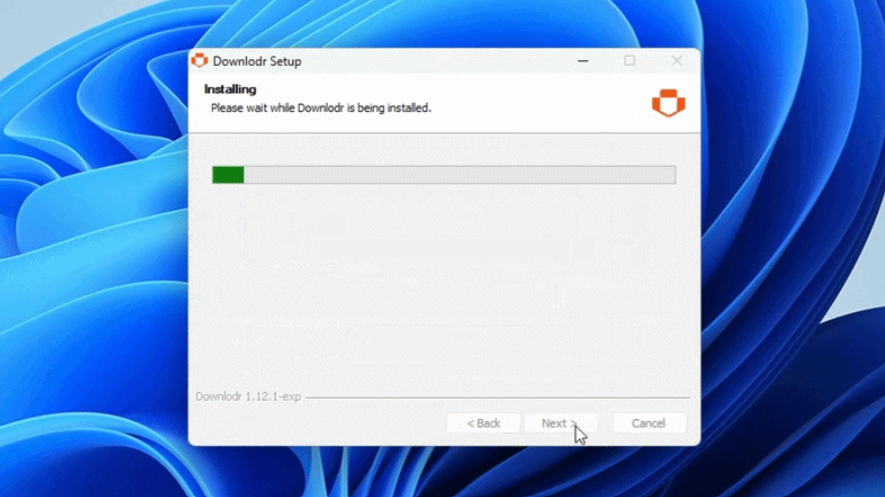
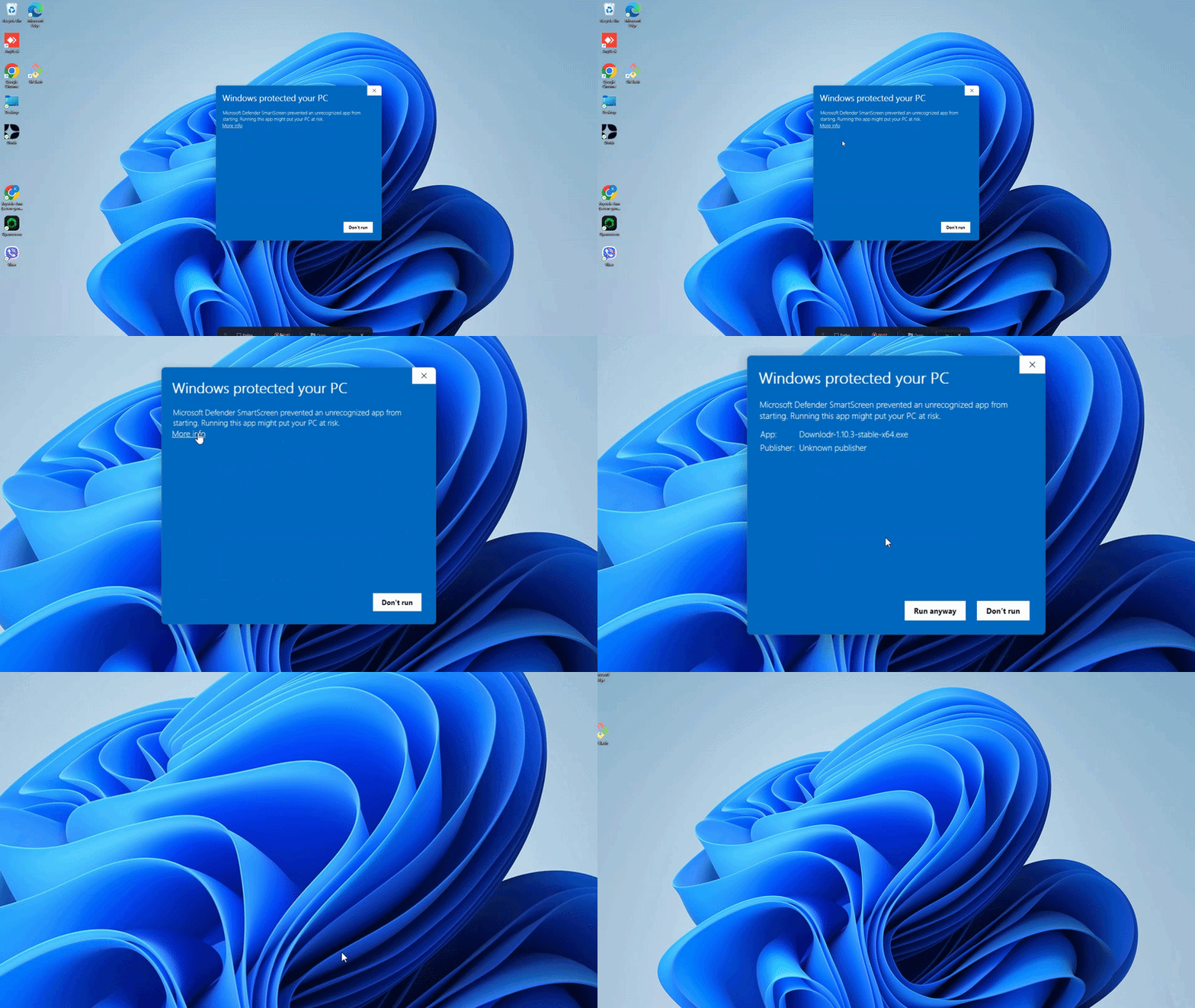
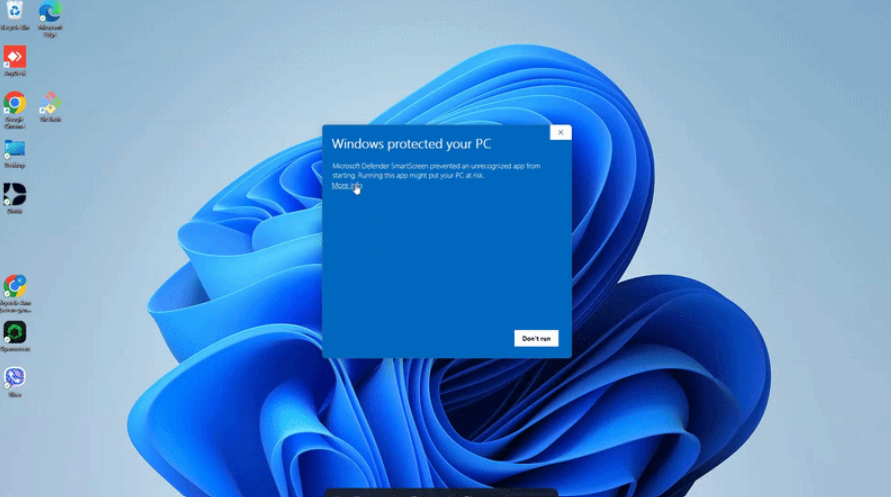
On Windows, click through the SmartScreen warning once (see the note above).
Open Downlodr — no account, no license key required.
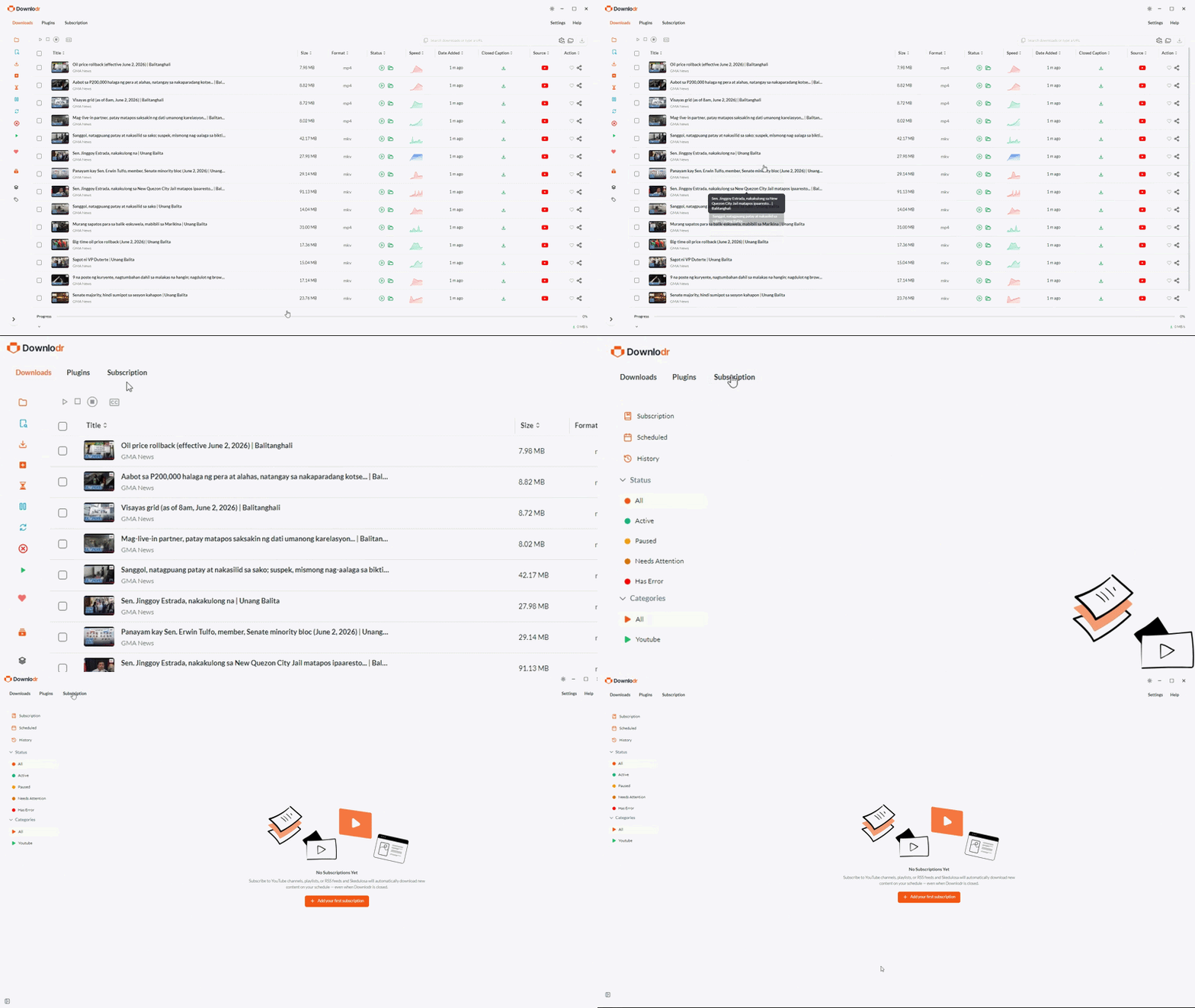
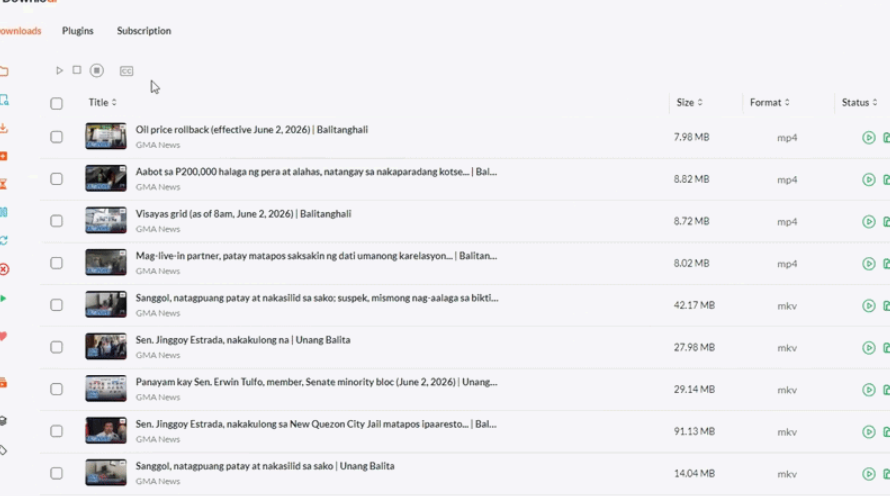
Re-create any channel or playlist subscriptions you had in 4KVD+ by pasting the URLs into Downlodr’s Skedulosa panel.
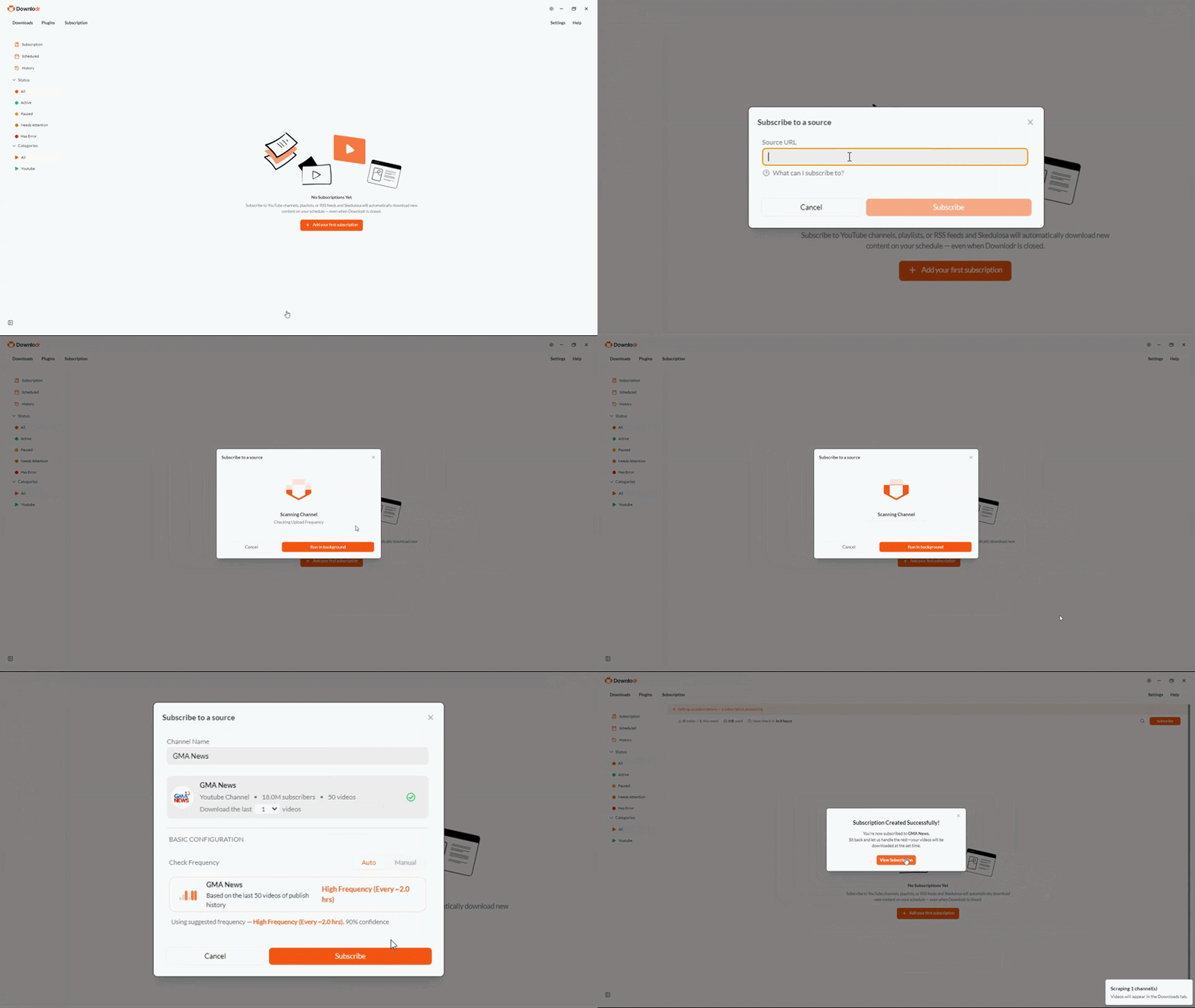
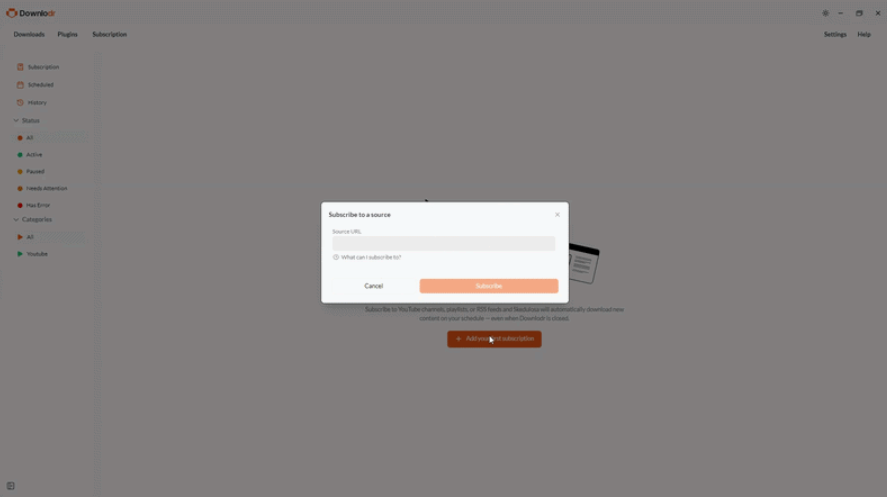
Optional: keep both installed during a trial period. 4KVD+ Starter tier and Downlodr can coexist, downloading to separate folders, while you decide.
Existing 4KVD+ downloads are just standard video files — they work in any media library or organization tool.
The short version: If you want maximum platform coverage with no paywalls and you are comfortable with an unsigned installer warning on first run, choose Downlodr. If you want a polished commercial product with a Microsoft-trusted installer and you only download from a handful of major platforms like YouTube, TikTok, and Facebook, a paid downloader may be the better fit (free tiers in those products are usually fine for casual use; expect to hit usage caps quickly).
What paid commercial downloaders typically do well
Established paid commercial video downloaders are credible products worth respecting. Their Windows installers are typically signed with Microsoft EV certificates, which means no SmartScreen warning on first run. The companies behind them have often been shipping their products for a decade or more, post clean VirusTotal results on their official installers, and have built polished interfaces with niche features like AI vocal removal and 8K download support on paid tiers. If your workflow only involves a handful of major platforms — YouTube, TikTok, Facebook, SoundCloud, Vimeo, and similar — a paid downloader will cover that well.
Why people look for an alternative
From threads on review sites and the relevant subreddits, the most common reasons:
- Free tiers have hard daily limits. Most paid downloaders’ free tiers cap you at 20–30 downloads per day, 5–10 videos per playlist, and a maximum 1080p resolution. Hitting these caps is fast for anyone archiving more than casual content.
- Annual subscriptions that expire. Some paid downloaders price their entry tier as a subscription ($10–20/year) that expires after 12 months. Users who expected one-time pricing are sometimes surprised by the renewal. Lifetime tiers exist but typically run $25–45.
- Platform coverage is limited to ~15–20 named sites. If your workflow includes podcast hosts, regional video platforms, lesser-known social networks, or niche sites, paid commercial downloaders frequently don’t support them.
- OS requirements are often recent. Several paid downloaders require Windows 11+ or macOS 12+. Older systems can’t run the current versions.
- Closed source. Users who want to inspect the code, run a self-audit, or contribute fixes look for open-source alternatives.
Side-by-side comparison
| Typical paid commercial downloader | Downlodr | |
|---|---|---|
| Price model | Freemium — Free with usage caps, paid tiers $15/yr to $45 lifetime | Fully free, no tier |
| Source code | Closed source / proprietary | Open source (MIT License) — github.com/Talisik/Downlodr |
| Supported platforms | ~15–20 named platforms (YouTube, TikTok, Facebook, SoundCloud, Vimeo, etc.) | 1,800+ sites |
| Daily download limit (free tier) | 20–30 per day, depending on product | Unlimited |
| Playlist limit (free tier) | 5–10 videos per playlist | Unlimited |
| Channel limit (free tier) | 3–5 videos per channel | Unlimited |
| Max resolution (free tier) | 1080p (4K/8K requires paid) | Up to source (4K / 8K) |
| Installer signing (Windows) | Microsoft EV-signed — no SmartScreen warning | Not yet signed — SmartScreen warning on first run (see note below) |
| Channel subscriptions | Yes — typically auto-downloads new uploads | Yes (Skedulosa) — queues new uploads for one-click download |
| In-app video player | Library player (post-download) | Streams source URLs before download (preview) |
| AI audio processing (vocal removal etc.) | Yes on top-tier paid plans | Not built in |
| Subtitle download (multiple languages) | 50+ languages on most products | Whatever the source provides |
| OS requirements | Often Windows 11+, macOS 12+, recent Ubuntu | Windows, macOS (Silicon + Intel), Linux — broader compatibility |
| Maintainer | Commercial company | Open-source team plus volunteer community |
| Account / license | License key (paid tiers); Free tier no account | None — no sign-up, no key |
Where Downlodr is genuinely different
Downlodr’s edge over paid commercial downloaders comes down to four concrete differences worth being honest about. First, platform coverage is roughly 100x larger. Downlodr supports 1,800+ sites because the entire video-archival community contributes extractors to the open-source library it builds on. Paid commercial downloaders typically support 15–20 named platforms — popular ones, but if you need to download from a regional video site, a podcast host, a lesser-known social network, or any niche platform, Downlodr is usually the only one that will work. Second, there is no paywall on Downlodr. All features — quality up to 4K and 8K, unlimited daily downloads, full playlists, full channels, channel subscriptions, in-app preview — are free with no usage caps. Paid downloaders cap their free tiers hard (typically 20–30 downloads/day, 3–5 videos per channel, 1080p max), with paid tiers from $15/year to $45 lifetime. Third, Downlodr is open source under the MIT License. The full source code is on GitHub at github.com/Talisik/Downlodr — you can read it, audit it for privacy claims, build it yourself, or contribute fixes. Most paid commercial downloaders are closed-source proprietary software. Fourth, Downlodr’s in-app player streams source URLs before downloading. You paste a YouTube link, click stream, and watch the video inside Downlodr without committing to a download — useful for vetting content before archiving it. Most paid downloaders’ built-in players only play videos already downloaded into the library.
For example: an archivist tracking a niche podcast across SoundCloud and a regional video platform would hit two problems with a typical paid downloader — the regional platform isn’t supported, and the SoundCloud free-tier limit caps them at 5 downloads per channel per day. With Downlodr, both platforms work natively and there is no daily cap.
Where a paid commercial downloader might still be the better pick
Several honest cases where 4KVD+ wins:
- Your installer needs to be Microsoft-trusted out of the box. Established paid downloaders have signed EV certificates; Downlodr does not yet. If a corporate IT policy blocks unsigned installers, a paid product may be the only option.
- You want AI audio processing built in. Vocal removal, echo elimination, and noise reduction are common features on paid downloaders’ top tiers. Downlodr doesn’t have these built in.
- You only download from the ~15–20 major platforms paid products support. If your workflow never touches niche sites, the larger Downlodr platform list is wasted on you, and a paid product’s polish may be more pleasant day to day.
- You’re willing to pay for a polished commercial product. Established paid downloaders are run by registered companies with formal support channels. Some users prefer that posture to community-driven open source.
Honest note on the Downlodr install warning
Downlodr’s Windows installer is not yet signed with a Microsoft EV certificate. The first time you run it, Windows will show a SmartScreen warning that says “Windows protected your PC” with the publisher listed as Unknown. This is the same warning many open-source desktop apps trigger and is different from being flagged as malware (which would say PUA: or Trojan: in the detection name). To install, click More info → Run anyway. The source code is public on GitHub if you want to verify before installing, and you can submit the installer to VirusTotal as an independent check.
Frequently asked questions
Most paid commercial downloaders in this category use a tiered model. A typical layout: Free Starter (with usage caps), a Subscription tier around $15/year (expires after 12 months), a Personal lifetime tier around $25 (3–5 computers), and a Pro lifetime tier around $45 (commercial-use rights). Bundle licenses combining several products from the same vendor run roughly $60–80, often discounted. All paid tiers typically unlock unlimited downloads, 4K/8K resolution, and full playlist/channel support.
Most free tiers in this category permit roughly 20–30 downloads per day, 5–10 videos per playlist, 3–5 videos per single channel, and a maximum resolution of 1080p. Commercial use is excluded, and some AI audio features are paid-only. For casual use this is enough; for archival or batch work, expect to hit caps within minutes.
Most free tiers in this category permit roughly 20–30 downloads per day, 5–10 videos per playlist, 3–5 videos per single channel, and a maximum resolution of 1080p. Commercial use is excluded, and some AI audio features are paid-only. For casual use this is enough; for archival or batch work, expect to hit caps within minutes.
Downlodr supports 1,800+ sites because the entire archival community contributes extractors to the open-source library it builds on. Paid commercial downloaders in this category officially support approximately 15–20 named platforms (typically YouTube, Vimeo, TikTok, SoundCloud, Facebook, DailyMotion, Twitch, and a few more). If you only download from major platforms the difference doesn’t matter; if you touch niche or regional sites, it matters a lot.
No. Built-in AI audio processing (vocal removal, echo elimination, background noise reduction) is a common Pro-tier feature on paid commercial downloaders that Downlodr does not currently match. If you need that workflow inside the same app as your downloader, a paid product is the better fit. Downlodr’s audio output works with external tools like Audacity for post-processing.
Microsoft EV code-signing certificates are an annual paid expense. Downlodr is community-driven so the path to a signed installer is a project decision rather than a product roadmap commitment. In the meantime, the source code is public on GitHub, the installer can be submitted to VirusTotal as an independent check, and the SmartScreen warning differs from Defender’s malware detections (which use PUA, Trojan, or Backdoor prefixes).
Conceptually yes; behaviorally different. Both let you subscribe to a channel and have the app surface new uploads. Most paid downloaders auto-download new content according to your settings. Downlodr’s Skedulosa adds new uploads to your queue for one-click download — you trigger each download when you’re ready, rather than them running automatically in the background.
Yes. Downloaded files from any commercial downloader are standard video files (MP4, MKV, MP3) that work in any media library or organization tool. Downlodr can import them, or you can keep your existing folder structure unchanged.
Paid commercial downloaders typically have signed Windows installers and clean VirusTotal results on the official download — antivirus tools will not flag them. Downlodr’s installer triggers a SmartScreen “Windows protected your PC” warning on first run because it is not yet signed, but is not flagged with malware-detection prefixes (PUA, Trojan, etc.). For users who need zero install friction, a paid product wins; for users who can verify open-source code as their trust signal, Downlodr is fine.
Try Downlodr
Free for Windows, macOS, and Linux. Open source under MIT License. 1,800+ sites supported. No account, no usage caps.
Download Downlodr — Free, Open SourceDownload Downlodr — Free, Open Source